
Field guide · Last reviewed 2026-10-19 · By Ramachandra Vikas Chamarthi
On-Premise LLM: What It Really Takes to Run One (2026)
An on-premise LLM (you'll also see it written on premise LLM, or on-prem LLM) is a large language model that runs on GPUs your company owns, inside a network your company controls, so no prompt, document or embedding leaves the building to get an answer. That's the definition. Here's the part the definition leaves out.
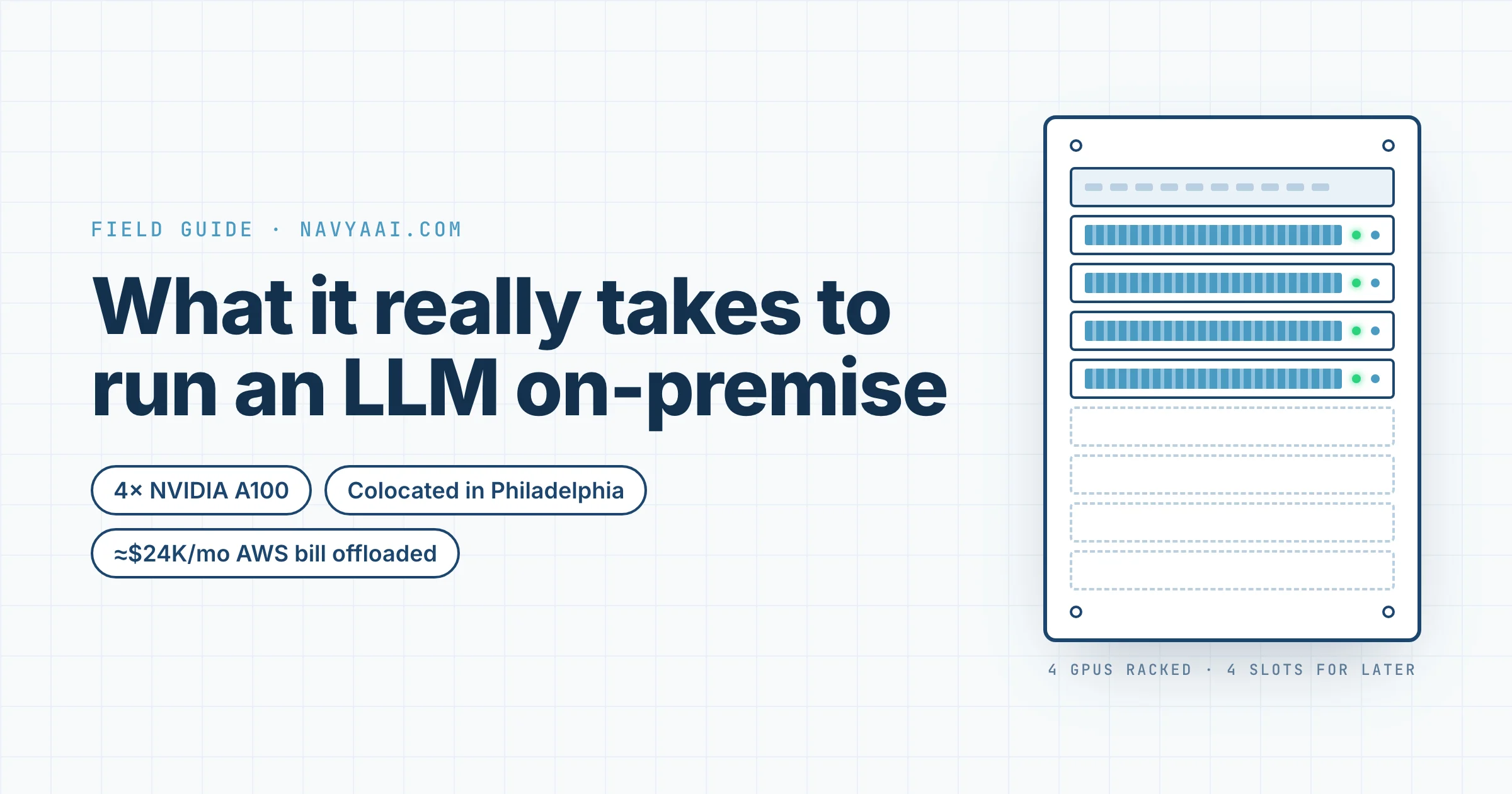
Let's be truthful: I've done this once, at a previous employer, and we did it well. We put four NVIDIA A100s in an Exxact Corp server, racked it at the Quonix data centre in Philadelphia, and took almost $24K a month off an AWS bill. The cost saving was real. It was not the point. The point was that patient data never left a box we could point at.
The short answer
An on-prem LLM is mostly a data-control decision, not a monetary or burn decision. The hardest part is the physical side: mounting the server and maintaining it. Use the data centre's hands-on service for the resets and reboots.
- It's for companies in a regulated environment who cannot afford to leak data. It is not for the performance-oriented or price-oriented buyer, because cloud credits and commitment discounts pull the effective cloud price down.
- The hardest part is not the software. It's mounting GPUs on rails by hand, and doing it again when you extend the box.
- The two costs that never make the spreadsheet are egress out of your cloud and GPU scheduling between people.
- The rule that worked for us: on-prem first, AWS for the spike.
- Maintenance is either the data centre's hands-on service or your own MLOps engineer. Neither was a new hire for us.
What is an on-premise LLM deployment?
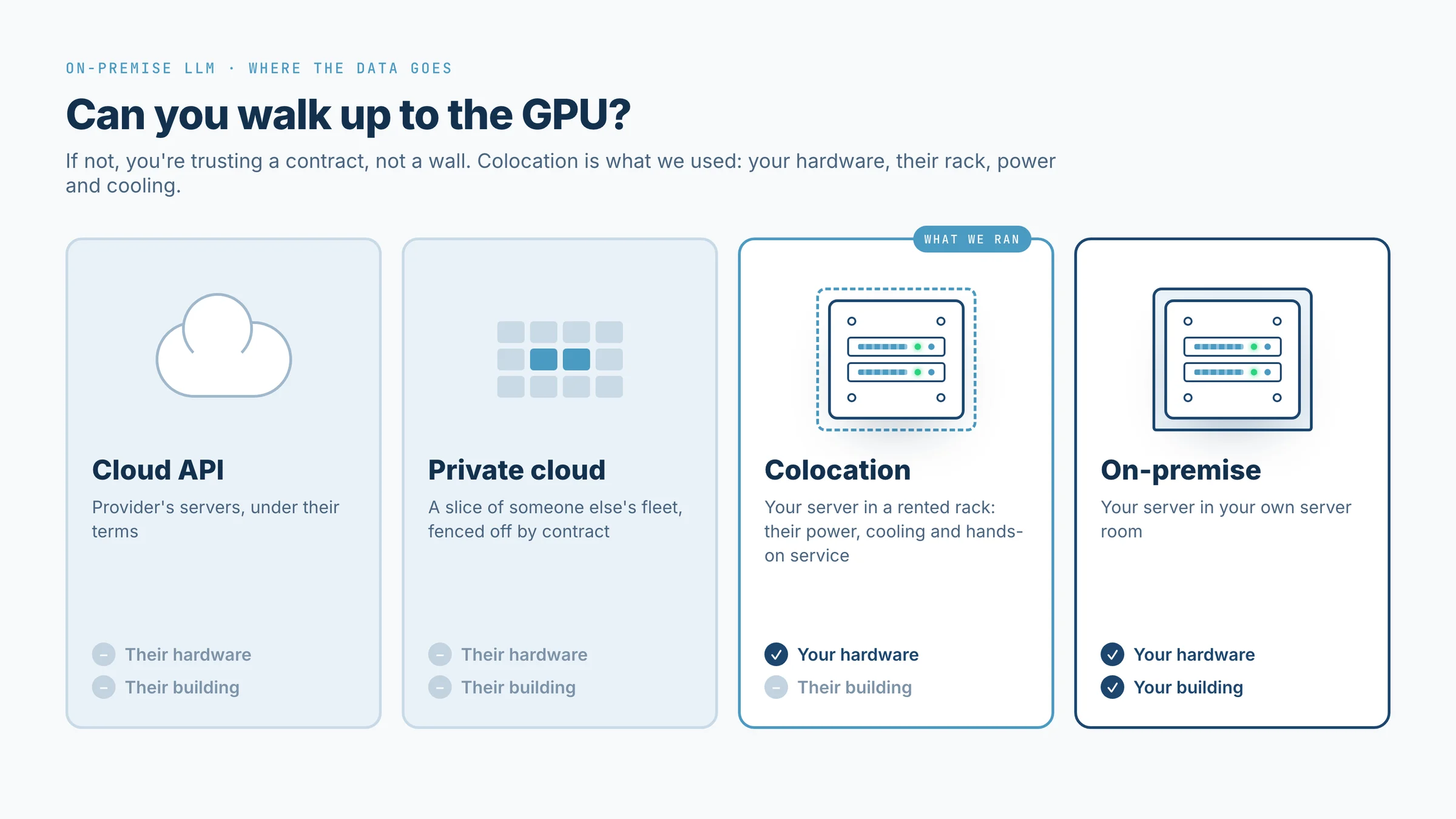
On-premise means the hardware is yours and the building is yours. Colocation means the hardware is yours and the building belongs to a data centre that rents you rack space, power and cooling — which is what we did, and what most companies without a server room should do. A private cloud is neither: it's a slice of someone else's fleet, fenced off by contract. A local LLM on a laptop (Ollama, LM Studio) is the same idea at desk scale, useful for a pilot and nothing else.
People also ask whether a private cloud counts as on-premise. It doesn't. The test is simple: can you walk up to the GPU? If the answer is no, you're trusting a contract, not a wall.
Who should run an LLM on-premise, and who should not
The reader I have in mind is a company in a regulated environment that cannot afford to leak data. Healthcare with patient records, a bank with transaction histories, a law firm with discovery documents. For you, the question isn't whether on-prem is cheaper. It's whether you can sleep.
This page is not for the performance-oriented or price-oriented buyer. Cloud providers hand out credits, committed-use discounts and enterprise agreements that pull the effective price well below the list price every break-even calculator (ours included) is built on. If cost is your only argument for on-prem, a good procurement team on the cloud side will beat you. We saved money, but the saving was never the reason.
What we actually ran
We were a 20-person pathology AI company. Six of us were the AI team, and four of us trained and ran models hard enough that the AWS bill had become a board topic — roughly $24K a month, most of it GPU time and the data that fed it.
We bought a four-GPU A100 server from Exxact Corp and colocated it at Quonix in Philadelphia. Quonix gave us the rack, the power, the cooling and a hands-on service when we needed someone to touch the machine. The software side (drivers, containers, a serving layer, an internal endpoint) took a few days. Everything else took longer than that.
The hard part was physical, not software
The hardest parts were not the software parts. The hardest single thing we did was mount the GPUs on the rails by hand — lifting carefully, because a slip would cost more than a month of the AWS bill we were trying to kill. I'd never thought of a data centre job as a lifting job before. It is.
The second hardest thing came later: extending the box with four more GPUs. On paper you add cards. In practice you're back in the cage with the rails, the power budget, the cooling headroom and the same careful lifting, plus a running system you can't take down for long. Plan the expansion on day one even if you don't buy the cards on day one.
The two costs nobody puts in the TCO
Egress first. Moving the training data and the models out of AWS to the box meant paying AWS for every byte that left. Nobody had that line in the spreadsheet. If your data already lives in a cloud, the exit toll is part of the on-prem price, and it's paid before the box saves you anything. Budget it, and check what your provider charges today rather than trusting a number from a blog; our egress cost guide covers how the charges are structured.
Scheduling second. Four people sharing four GPUs sounds fine until two of them need all four on the same afternoon. We managed it with a shared sheet — who is using what, until when — and conversation. That worked for four. It would not have worked for eight. If I were doing it now I'd put a queue in front of the box before the second user logged in.
For the arithmetic on when a box pays for itself, use our self-hosted vs API cost guide or the on-prem LLM cost calculator; this page is about what the arithmetic misses.
On-prem vs cloud LLM, side by side
| Cloud API | Cloud GPUs (with credits and commitments) | On-premise or colo | |
|---|---|---|---|
| Where the data goes | Provider's servers, under their terms | Your tenancy on their fleet | Hardware you own |
| Effective cost | Pay per token, no capital | Often below the list price any calculator shows | Capital up front, then power, rack and people |
| Latency | Internet round trip | Region round trip | Your own network |
| Who fixes it at 2 a.m. | The provider | The provider, for the hardware | The data centre's hands-on service, or your MLOps engineer |
| Hidden line items | Rate limits, model deprecations | Egress when you leave | Egress when you arrive, scheduling, expansion |
Hardware tiers for an on-premise LLM
Three tiers cover almost everyone. A single workstation with one or two GPUs runs a pilot. A four- to eight-GPU server (what we ran) serves a company's internal traffic and trains small models. Multiple nodes with fast interconnect is a different project with a different team. For sizing by model and context length, our GPU requirements guide is the page to use; I'm not going to repeat it here.
The serving stack we would pick today
Today I'd put vLLM on the box for throughput, and I'd put Triton Inference Server in front of it only if the company already runs Triton for other models. Ollama is fine for the single-box pilot and wrong for anything shared. Whatever you pick, make the application LLM-agnostic from the first commit: you'll swap models far more often than you'll swap servers.
The rule that worked
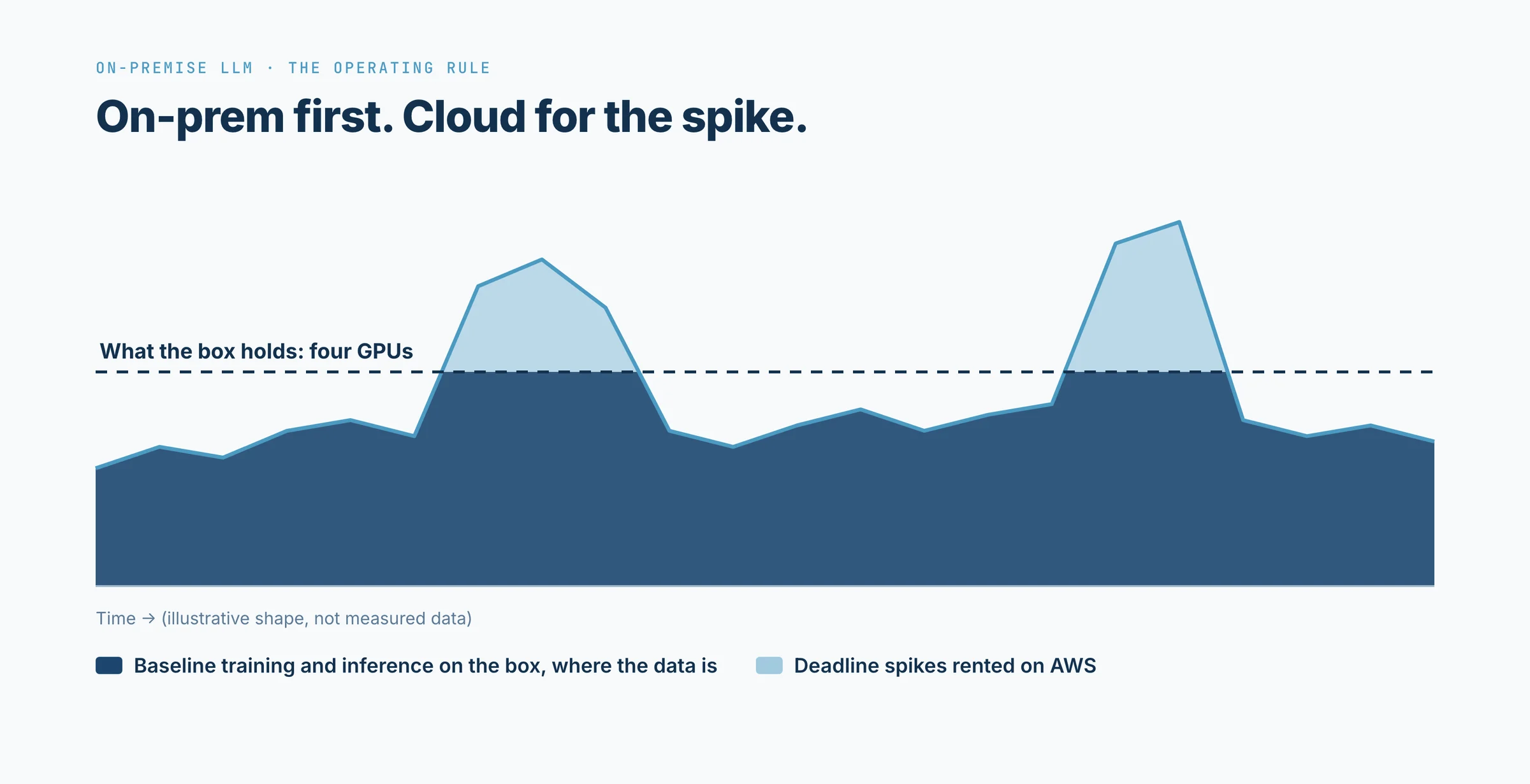
Our operating rule was simple: first use on-prem, then go to AWS for the spike. Baseline training and inference lived on the box, where the data was. When a deadline needed more than four GPUs for a week, we rented the extra in the cloud and brought the results back. That's a hybrid, if you want the category name. We thought of it as a rule about where the default lives — and the default has to be the box, or the box never pays for itself.
Answering the finance head
The question I got, and the one you'll get, goes like this: "$24K a month is $288K a year. What did the box cost, and who maintains it?"
The first half has a spreadsheet answer. Put the hardware quote next to twelve months of the cloud bill it replaces and the division does itself; the cost guide walks through it with current prices, including the operations floor most spreadsheets leave out.
The second half is the better question. The answer is either the data centre's hands-on service (Quonix sold us theirs by the hour, and a reset or a reboot is exactly what you buy it for) or your own MLOps engineer, who you probably already employ if your AWS bill is five figures a month. We used both. Neither was a new hire.
How to decide
- Would a data leak end a contract, a licence or the company? If no, you may not need this.
- Do you already have cloud credits or committed-use discounts? Price them in before you compare.
- Who physically racks and extends the hardware — your team, or the data centre's service?
- Who owns GPU scheduling once more than two people share the box?
- What does your cloud provider charge you to move your data out today?
- What does your spike look like, and will you rent cloud GPUs for it or over-buy the box?
If you answered the first one with yes and have honest answers to the other five, you're ready to talk about a box.
FAQ
What does on-premise hosting mean for an LLM?
The model weights, the GPUs they run on and the data they touch all sit on hardware your company owns or leases, in a building you control or a colocation cage you rent. Our four A100s sat in a Quonix cage in Philadelphia; no prompt left that network.
Is a private cloud the same as on-premise?
No. A private cloud is still someone else's building and someone else's hypervisor, contractually fenced off for you. On-premise means you own the box. Colocation, which is what we used at Quonix, sits in between: your hardware, their rack, power and cooling.
How do you deploy an LLM on premise?
Buy or lease a GPU server, rack it (or pay the data centre to), install a serving framework such as vLLM, pull open weights, and put an internal API in front of it. The software takes days. Procurement and racking take months.
What does an LLM run on?
GPUs with enough memory to hold the model weights, plus a CPU host, fast local storage and a network path to the applications that call it. For one open model at the scale most companies need, that is a single server with four to eight GPUs, such as the four-A100 Exxact Corp box we ran.
What is LLM-agnostic?
An application built so that the model behind it can be swapped without rewriting the app. On-premise, you will change models (Llama, Mistral, Qwen) far more often than you change the server, so the app has to survive the swap.
Can I run an on-premise LLM without my own data centre?
Yes. We did. Colocation at Quonix gave us the control of owning the hardware without building the room, and the data centre's hands-on service racked and cabled it when we needed hands.
Talk to us about your own box
We deploy on-prem and colocated LLM infrastructure for regulated companies, and we'll tell you if you don't need one. Leave your name and work email below and our engineers reply in writing with what your own box would need, starting from the six questions above.
Written by Vikas, NavyaAI, from a deployment he ran at a previous employer. Structured and edited with AI assistance; every first-hand claim is his.